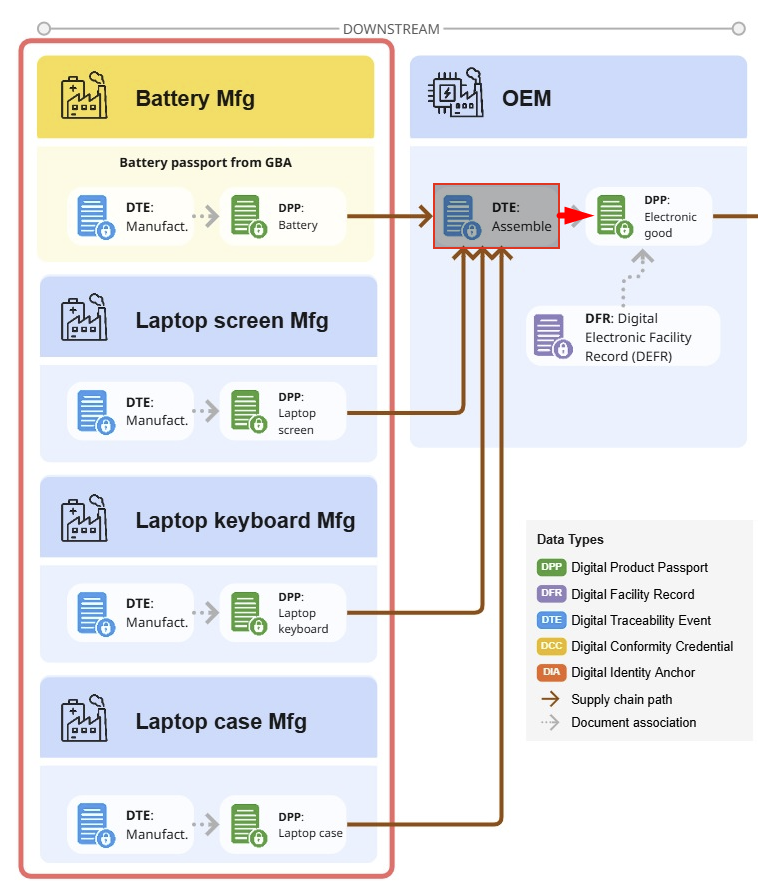
How a DTE Tracks HBOM
The RBTP Knowledge Base is evolving weekly as part of our pilot programs with RBA members. We’d love your input — submit feedback or help shape the protocol in real time by joining a pilot.
HBOM Exercise - Creating an Assembly through a DTE that links many Input DPP’s to a single Output DPP
Guide to demonstrate adding a basic HBOM (Hardware Bill of Materials) to a DTE (Digital Traceability Event) in order to link many input DPP’s to a single output DPP
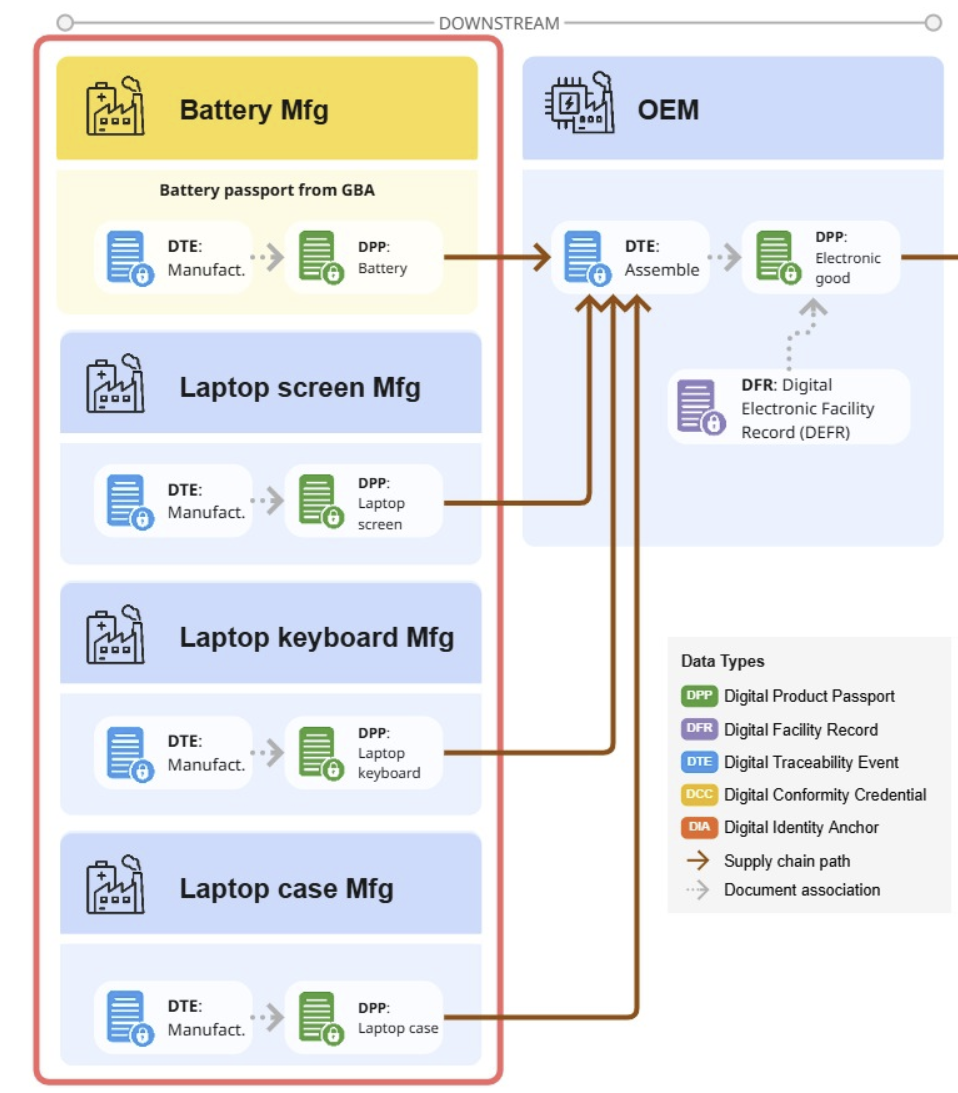
In practice, a downstream manufacturer will have DPP’s from the upstream supplier to complete this process. Here, we will use existing credentials to simplify the exercise. We also demonstrate how to add an additional items to the HBOM through the DTE (Digital Traceability Event)
This exercise is best done on 2 screens/windows with instructions on one screen, and the RBTP Reference Implementation on the other
-
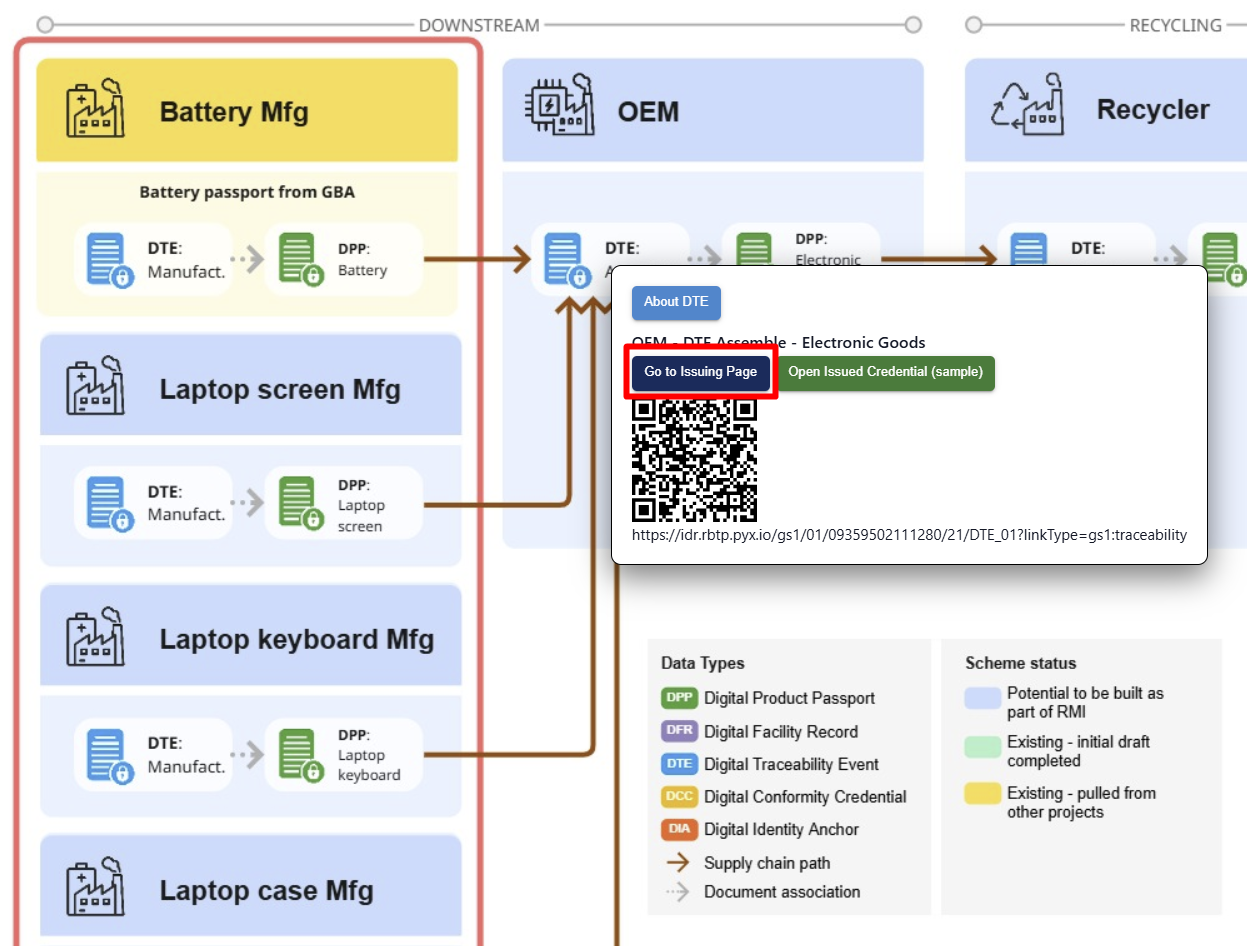
Visit the Interactive VC Map for Pilot 003 - Pilot 003 Basic HBOM
-
Select “Go to Issuing Page”
-
-
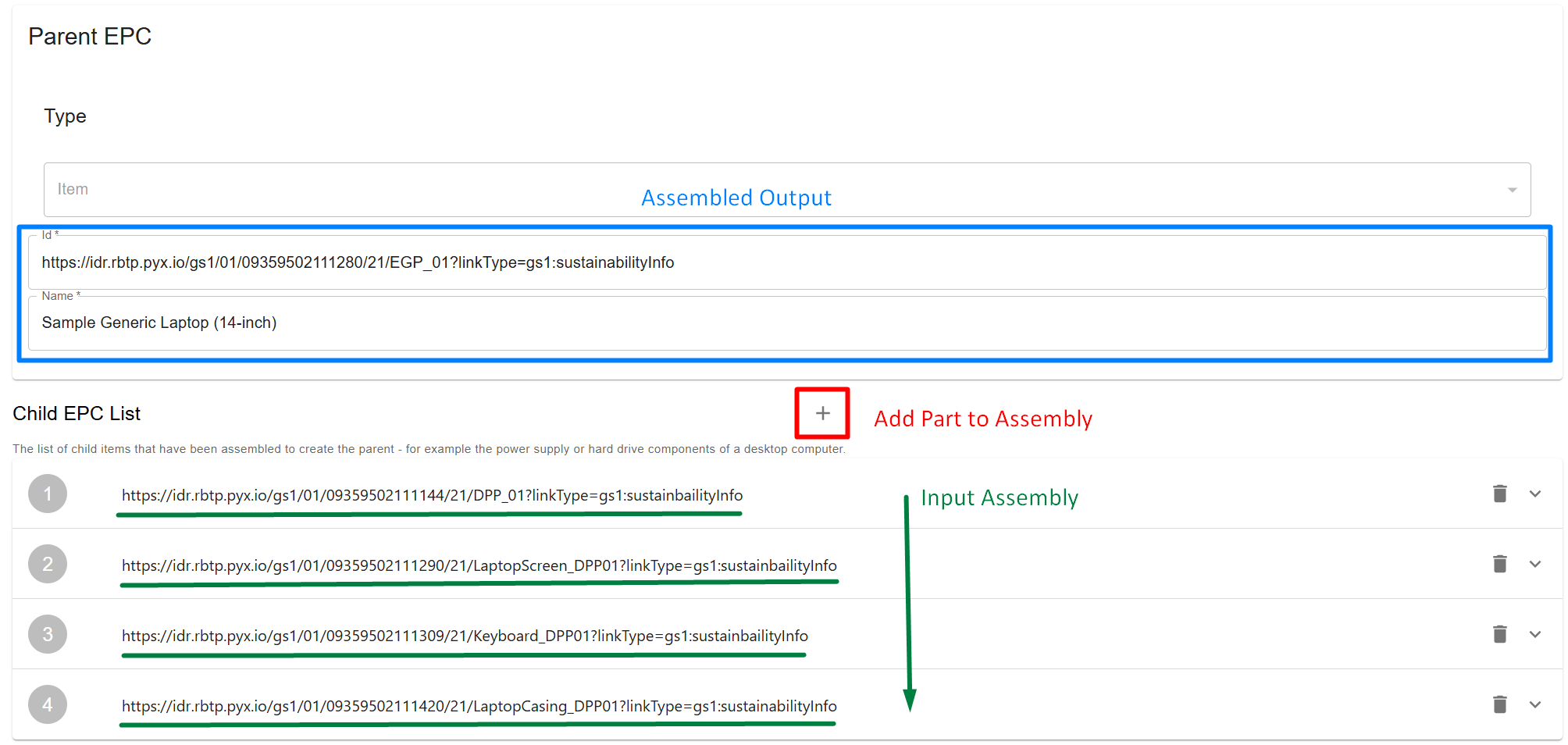
Scroll to bottom of Page where EPC (Electronic Product Codes) are organized
-
The Parent EPC is the final assembled product shown in blue
-
The Child EPC List is the HBOM (Hardware Bill of Materials) shown in green
-
The “Add Part to Assembly” function is performed by using the “+” in the red square
-
To see how a part would be added to the assembly, you can select the “+” sign highlighted by a red box and paste a supplied EPC (Electronic Product Code) into the form.
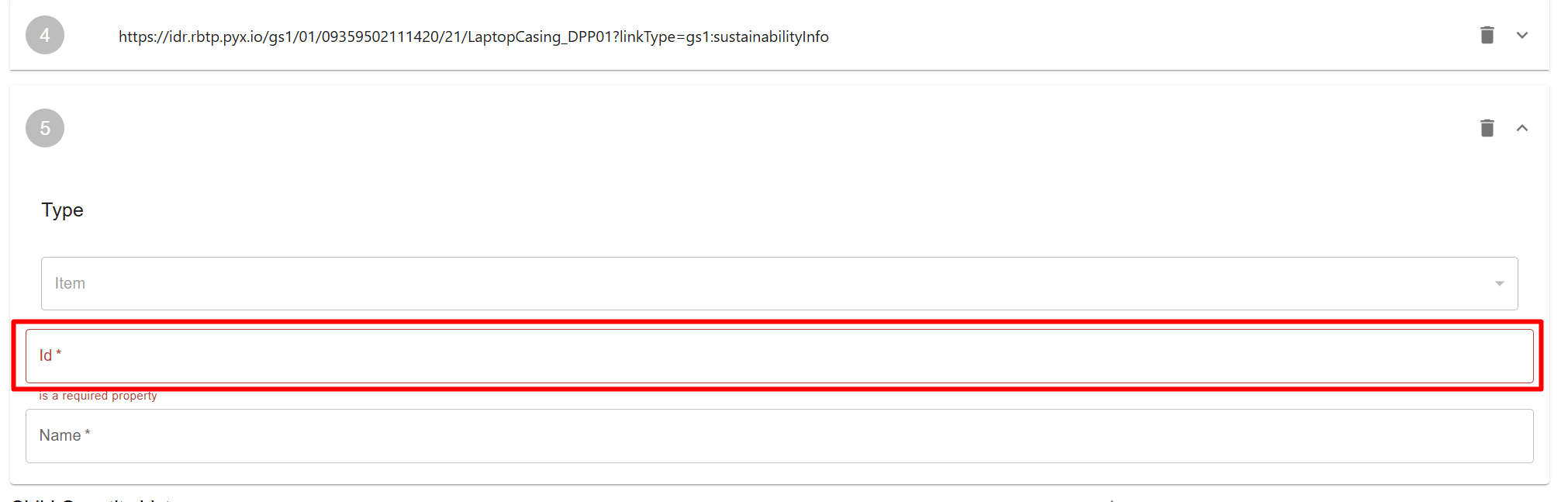
-
As this is a demonstration more than an exercise, we will delete the newly added Input to maintain the original version of the DTE (Digital Traceability Event)
- Select the Trash Icon in the newly created EPC Input labeled with “5” and your input will be deleted
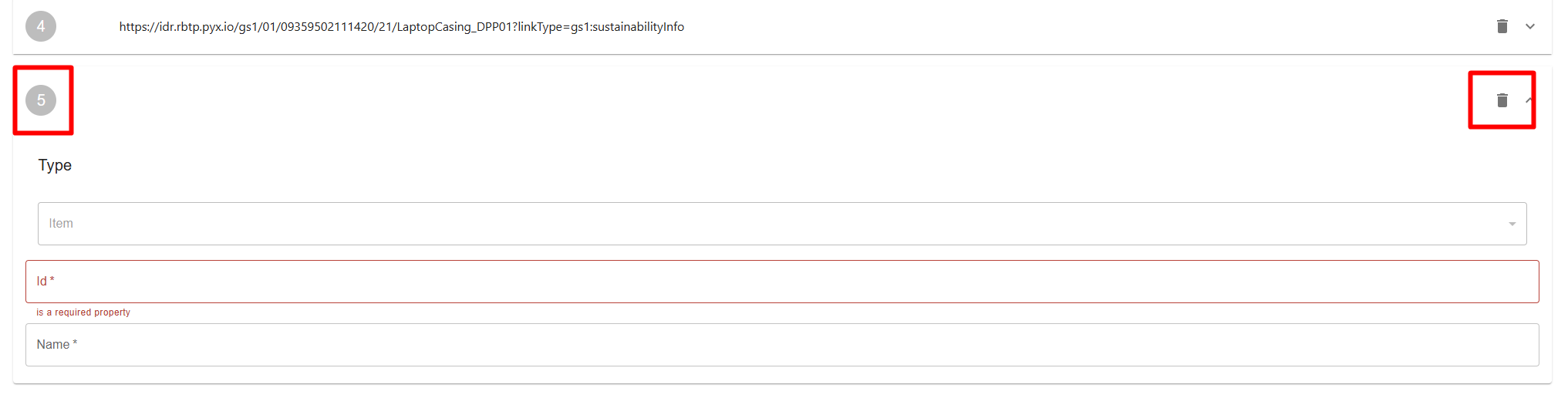
-
List of Parts - Listing the EPC Codes below to be able to reset the DTE in case users accidentally delete
- Laptop Battery - https://idr.rbtp.pyx.io/api/1.0.0/gs1/01/09359502111144/21/DPP_01?linkType=gs1:sustainbailityInfo
- Generic Screen - https://idr.rbtp.pyx.io/api/1.0.0/gs1/01/09359502111290/21/LaptopScreen_DPP01?linkType=gs1:sustainbailityInfo
- Laptop Keyboard - https://idr.rbtp.pyx.io/api/1.0.0/gs1/01/09359502111309/21/Keyboard_DPP01?linkType=gs1:sustainbailityInfo
- Laptop Casing - https://idr.rbtp.pyx.io/api/1.0.0/gs1/01/09359502111420/21/LaptopCasing_DPP01?linkType=gs1:sustainabilityInfo
-
-
Select the carrot in the red box in order to expand the EPC item and see more details
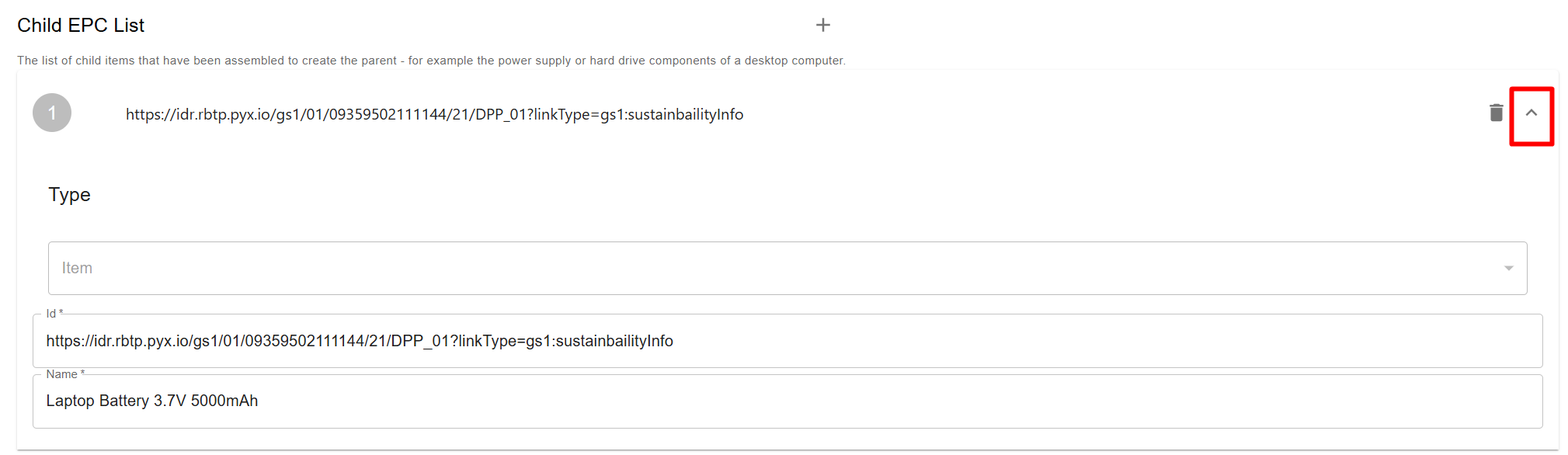
-
Now the Assembled Product is linked to the inputs of the assembly through a DTE (Digital Traceability Event) and you have demonstrated how a very basic HBOM can be created in the RBTP Reference Implementation